
2026/01/05
fal.ai Hosted GLM-Image: Production Integration Checklist
Deploy GLM-Image without managing GPUs—fal.ai API examples, latency considerations, and a production checklist.
Why hosted?
Local GLM-Image can be VRAM expensive depending on resolution; hosted avoids infra and capacity planning. (GitHub)
Minimal JS integration (copy/paste)
fal.ai provides a client example like:
import { fal } from "@fal-ai/client";

const result = await fal.subscribe("fal-ai/glm-image", {
  input: {
    prompt: 'A poster with the headline "SPRING SALE" and CTA "SHOP NOW".'
  },
});

console.log(result);(Fal.ai)
Prompting best practices for GLM-Image on fal.ai
fal.ai’s prompt guide recommends:
- hierarchical prompt structure
- guidance scales roughly 1.5–4.0
- using typography tools like the Glyph Encoder for text-heavy designs (Fal.ai)
Production checklist
- Auth via env var (e.g.,
FAL_KEY) (Fal.ai) - Add request timeouts + retries
- Log prompt + seed + params for reproducibility
- Use consistent “layout zones” prompts for posters/menus
- Cache output URLs / upload to your own storage
- Add content filtering or moderation policy (if your product needs it)
More Posts
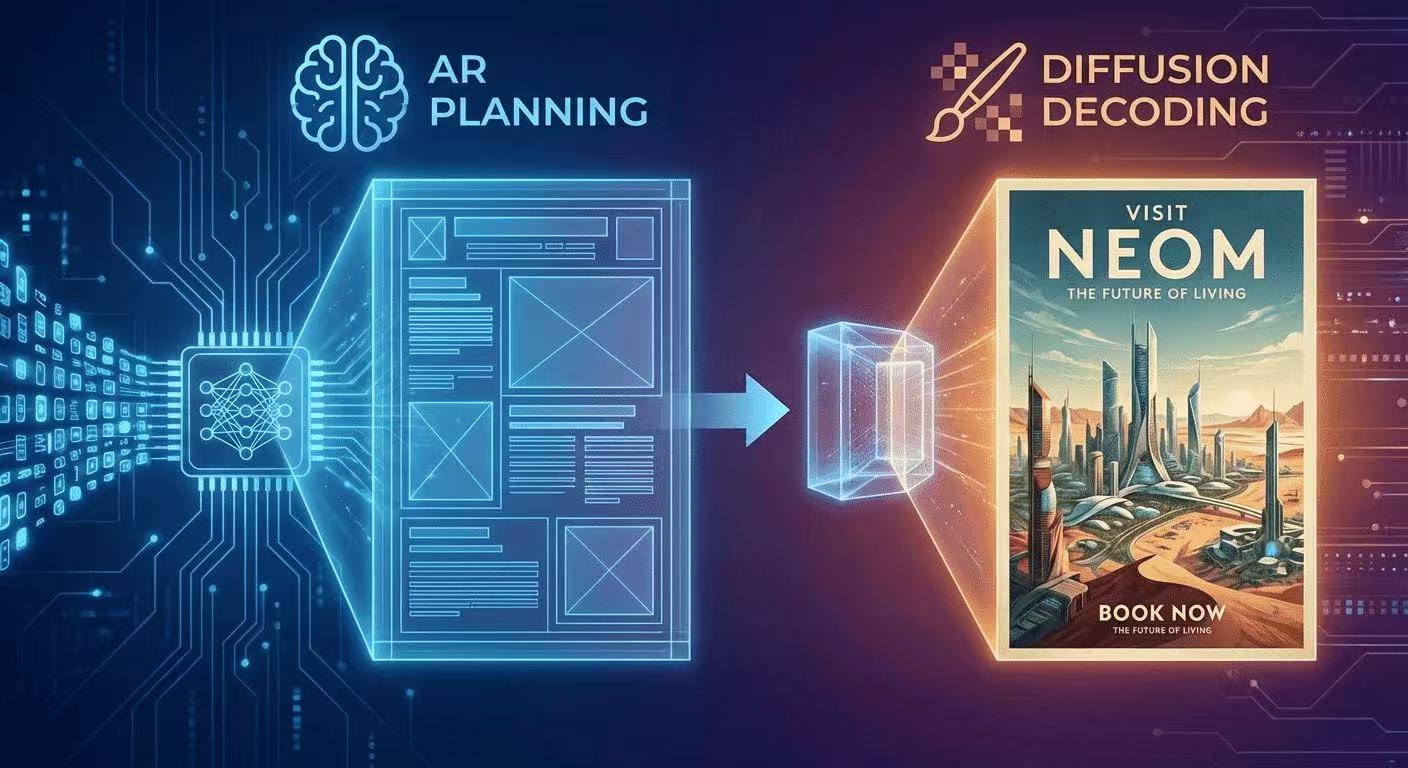
The AR + Diffusion Hybrid Explained (With Diagrams)
GLM-Image uses autoregressive planning for layout + diffusion decoding for pixel fidelity. Here's the intuition, diagrams, and what it means for text rendering.

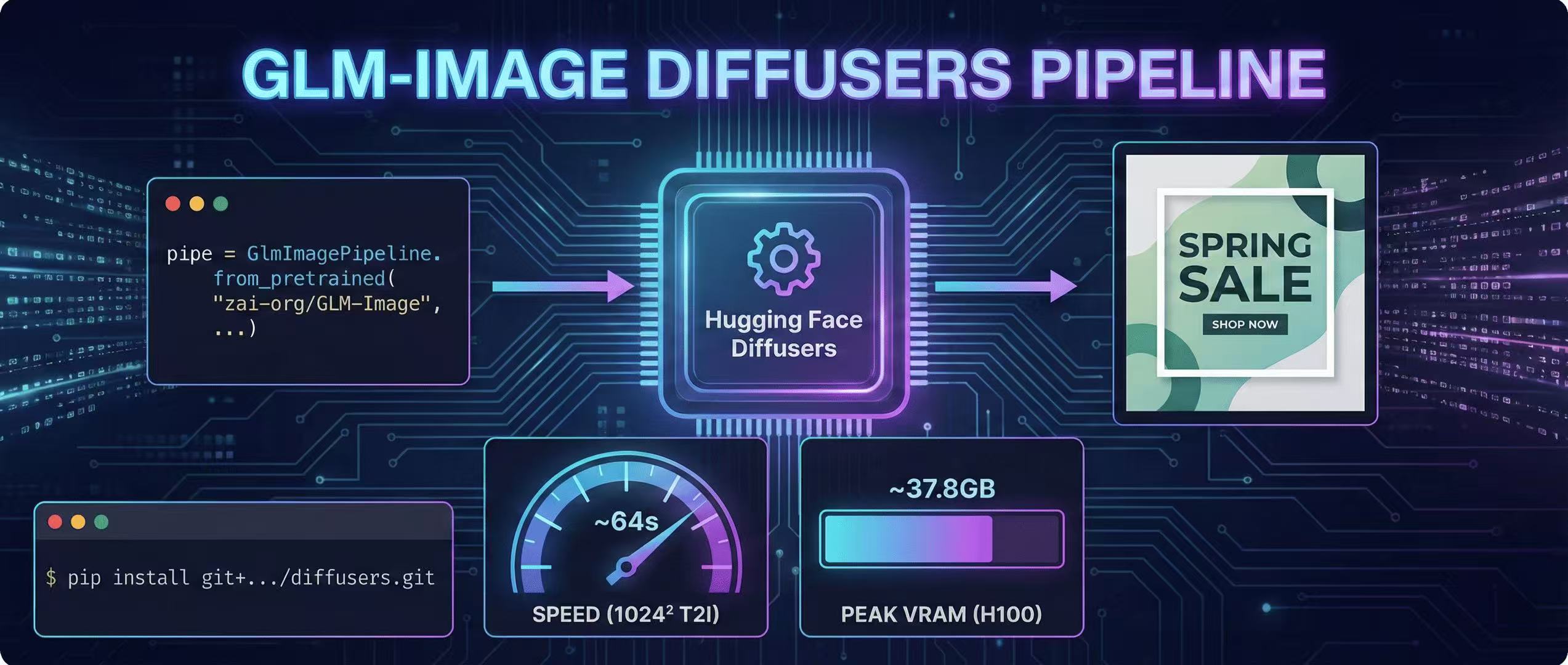
Diffusers Pipeline Walkthrough + Speed/VRAM Notes
A step-by-step GLM-Image guide using Hugging Face Diffusers, including install, code, and real VRAM/time estimates.
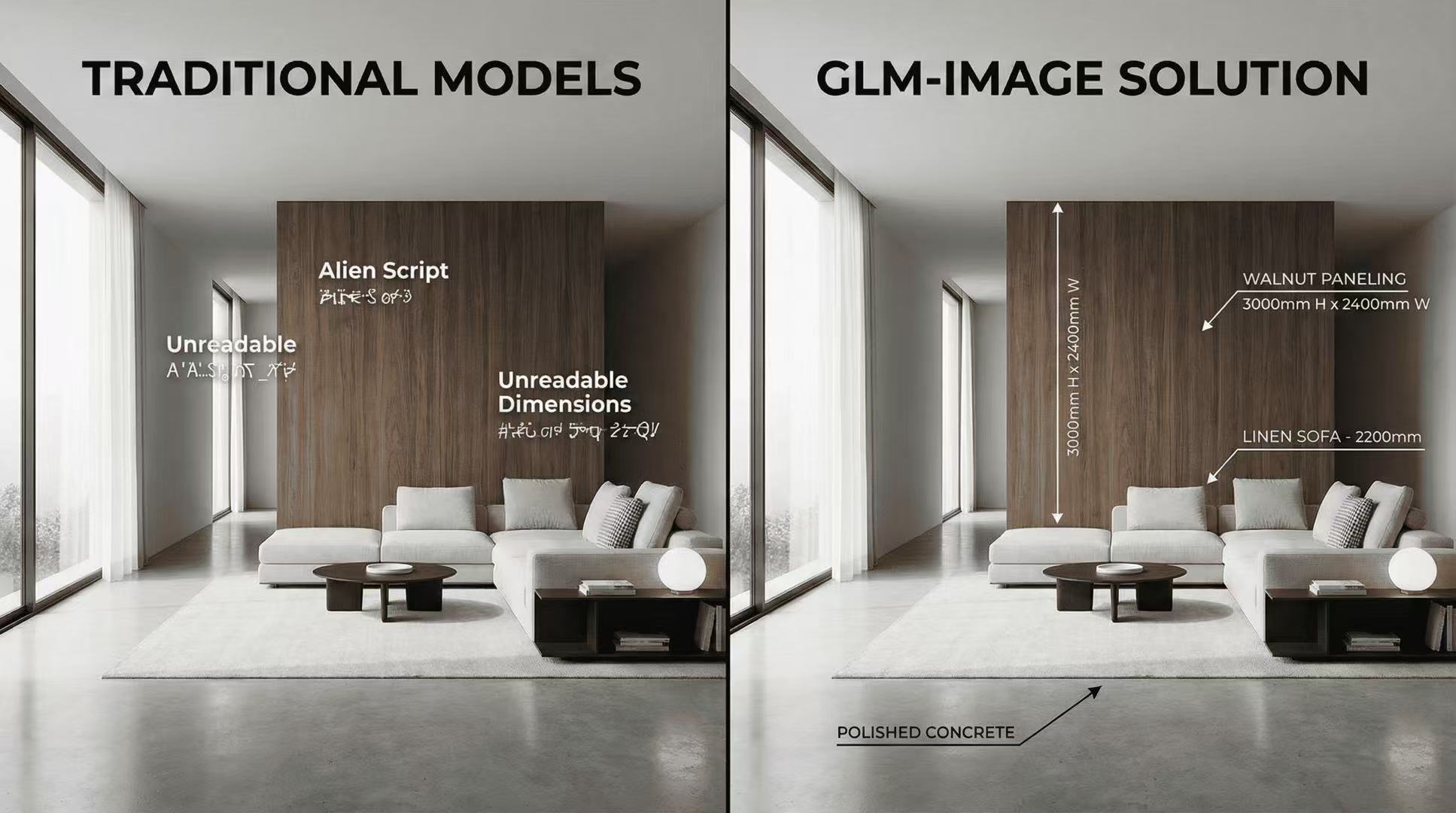
GLM-Image for Interior Design: Visualizing Spaces with Text
Why interior designers are using GLM-Image to include specific material labels and dimensional callouts in their renders.