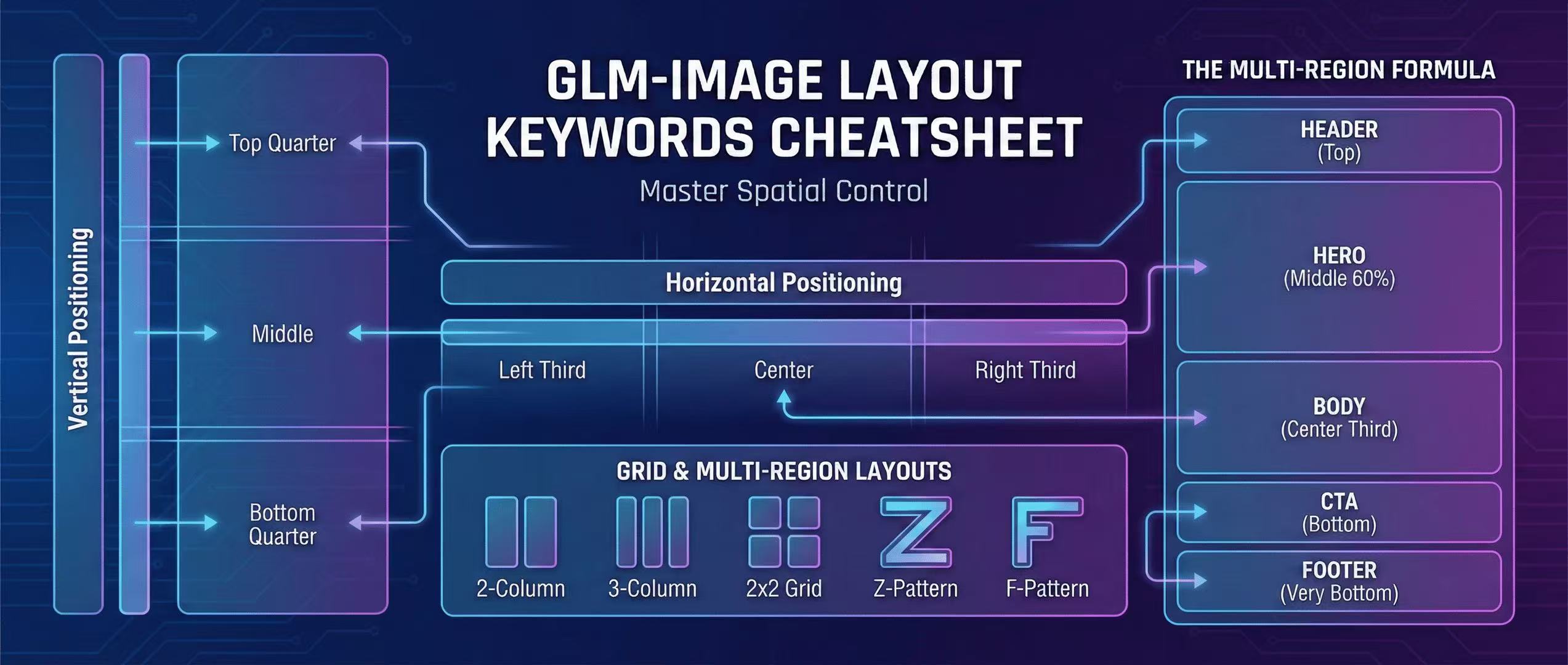
GLM-Image Layout Keywords Cheatsheet: Master Spatial Control in Prompts
Complete guide to layout keywords for GLM-Image: left, center, right, grid, multi-region layouts. 10+ copy-paste templates for headers, heroes, bodies, CTAs, and footers.
Most AI image generators struggle with precise layout control. GLM-Image improves spatial composition through explicit layout keywords in the Logic section of your prompt. This cheatsheet gives you the exact keywords to place elements exactly where you want them.
Layout Keywords: The Complete Dictionary
Horizontal Positioning
| Keyword | Effect | Example |
|---|---|---|
left | Align element to left edge | "title" left-aligned |
center | Center element horizontally | "headline" centered |
right | Align element to right edge | "price" right-aligned |
left third | Occupy left 33% of space | "logo" in left third |
center third | Occupy center 33% of space | "image" in center third |
right third | Occupy right 33% of space | "text" in right third |
Vertical Positioning
| Keyword | Effect | Example |
|---|---|---|
top | Place at top | "header" at top |
middle | Place in vertical center | "hero" in middle |
bottom | Place at bottom | "footer" at bottom |
top quarter | Top 25% of space | "title" in top quarter |
bottom quarter | Bottom 25% of space | "cta" in bottom quarter |
Grid & Multi-Region Layouts
| Pattern | Use Case | Keywords |
|---|---|---|
| 2-column | Side-by-side content | "left column" and "right column" |
| 3-column | Magazine-style | "three columns", "grid 3x1" |
| 2x2 grid | Quarters layout | "top-left", "top-right", "bottom-left", "bottom-right" |
| Z-pattern | Ad layouts | "top", "middle", "bottom" in descending diagonal |
| F-pattern | Web layouts | "header", "sidebar", "main content" |
| Book cover | Multi-zone | "top zone", "middle zone", "bottom zone" |
The Multi-Region Formula (Copy This)
Most professional layouts require at least 5 regions: Header, Hero, Body, CTA, Footer.
Template Structure:
Logic: Header at top with "[HEADLINE]", hero image in middle 60% with "[SUBTEXT]",
       body text block left-aligned in center third, CTA button centered at bottom
       with "[CALL TO ACTION]", footer at very bottom with fine print
10 Multi-Region Layout Templates
1. Landing Page (5 sections)
Use case: SaaS product landing
Subject: Modern SaaS landing page mockup, clean minimal design
Style: Tech startup, Webflow aesthetic, white background, blue accents
Text: "Build Faster" (large headline, top), "Ship in days, not weeks" (subhead, middle),
      "Start Free Trial" (CTA button, bottom)
Logic: Header section at top 15% with headline centered,
       hero image section in middle 55% with laptop mockup,
       body text block in center third below hero,
       CTA button centered in bottom 20%,
       footer at very bottom with "© 2026" and links
Size: 1280x720
2. Event Conference Ad (4 regions)
Use case: Multi-day conference promotion
Subject: Professional conference banner, modern corporate style
Text: "AI SUMMIT 2026" (top, largest), "March 15-17 • San Francisco" (middle, medium),
      "Register Now" (bottom CTA)
Logic: Header region at top 20% with event title centered,
       date and location region in middle 50% with bold typography,
       CTA button region centered in bottom 25%,
       sponsor logos region in bottom 5% left-aligned
Size: 1200x628
3. E-commerce Product Card (3 zones)
Use case: Product catalog grid item
Subject: Product showcase card, clean white background, professional lighting
Text: "Wireless Headphones" (title), "$199.99" (price), "Add to Cart" (button)
Logic: Product image zone in top 60%, centered and well-lit,
       title text zone left-aligned in top of bottom 30%,
       price and button zone right-aligned in bottom of bottom 30%
Size: 800x1000
4. Restaurant Menu Section (6 regions)
Use case: Multi-item menu category
Subject: Restaurant menu section, elegant typography, cream paper texture
Text: "MAIN COURSES" (header), "Grilled Salmon...$28" (item 1), "Ribeye Steak...$35" (item 2),
      "Vegetarian Pasta...$22" (item 3), "Chef's Special...Market Price" (item 4)
Logic: Header region at top 10% with category title,
       menu item regions in left and right columns (2-column grid),
       price column right-aligned, description left-aligned,
       consistent spacing between items, footer region at bottom
Size: 1024x1536
5. Mobile App Onboarding (4 screens)
Use case: App store screenshots
Subject: Mobile app screen mockup, iPhone frame, light mode
Text: "Track Your Progress" (title), "Set goals and monitor achievements" (desc),
      "Get Started" (button)
Logic: Phone status bar region at top 5%,
       app title region at top 15% below status bar,
       main content region (chart/graph) in middle 60%,
       CTA button region at bottom 20% centered
Size: 1170x2532
6. Real Estate Listing (5 sections)
Use case: Property showcase
Subject: Luxury home listing, exterior photo, professional real estate
Text: "$1,250,000" (price, top), "4BR • 3BA • 2,800 sqft" (details, middle),
      "Schedule Tour" (CTA, bottom)
Logic: Price banner region at top 10% overlay on image,
       property photo region in middle 70%,
       details region in bottom 15% with 3-column layout,
       CTA button region at very bottom 5%,
       agent info region in bottom-left corner
Size: 1200x900
7. Webinar Registration (3 blocks)
Use case: Email header banner
Subject: Webinar announcement banner, professional gradient background
Text: "Mastering GLM-Image" (headline), "Jan 25, 2PM EST" (date), "Register Free" (CTA)
Logic: Headline block centered at top 30%,
       date/time block centered in middle 40% with bold typography,
       CTA button block centered at bottom 30%
Size: 600x300
8. Book Cover Mockup (4 zones)
Use case: Self-publishing cover
Subject: Book cover design, thriller genre, dark mysterious tones
Text: "THE MISSING CODE" (title, top), "A Tech Thriller" (subtitle, middle),
      "by [AUTHOR]" (bottom)
Logic: Title zone at top 25% with large serif type,
       subtitle zone in middle 15% with smaller sans-serif,
       negative space zone for main image in center 45%,
       author name zone at bottom 15% with elegant typography
Size: 1600x2560
9. YouTube Thumbnail (2 regions)
Use case: Video thumbnail generator
Subject: YouTube thumbnail, vibrant colors, bold text
Text: "10 GLM-Image Tips" (large title), "That Actually Work" (subtitle)
Logic: Title text region at top-left, covering 60% of width and 40% of height,
       subtitle text region below title, left-aligned,
       negative space on right for face/emoji graphic
Size: 1280x720
10. Dashboard Widget (4 panels)
Use case: Analytics widget mockup
Subject: SaaS dashboard widget, clean UI, data visualization
Text: "Monthly Revenue" (header), "$45,231" (metric, large), "+12.5% vs last month" (change)
Logic: Header region at top 15% with widget title,
       metric region in middle 50% with large number centered,
       trend indicator region in bottom 20% with percentage,
       icon region in top-right 10% with chart/graphic
Size: 400x300
Troubleshooting Layout Issues
❌ Problem: Elements Overlap
Fix: Add explicit spacing keywords
Logic: ...with 20px gap between regions, clear separation, no overlap❌ Problem: Wrong Reading Order
Fix: Specify "top-to-bottom flow" or "left-to-right flow"
Logic: ...natural reading order top-to-bottom, logical sequence❌ Problem: Uneven Spacing
Fix: Use percentage-based regions
Logic: ...header 10%, hero 50%, body 25%, CTA 15%❌ Problem: Text Gets Cut Off
Fix: Add padding and overflow keywords
Logic: ...with 10px padding, text fully visible, no truncationFAQ
Q: How many regions can I specify? A: For best results, limit to 5-7 major regions. More than that and the model may ignore some.
Q: Do I need to specify both horizontal and vertical?
A: Yes. Use combinations like "top-left", "bottom-center", "middle-right" for precision.
Q: What's the difference between "third" and "quarter"?
A: "Third" = 33%, "quarter" = 25%. Use quarters for more granular control.
Q: My layout still looks random. What am I doing wrong?
A: Be explicit. Instead of "image on left", use "image in left third, top half".
Related Resources
- Poster Templates - Copy-paste poster prompts with layout control
- Mastering Layout Logic - Deep dive into spatial composition
- Prompt Engineering 101 - Foundation concepts for all prompts
Download
PDF Version: Coming soon - printable cheatsheet with all keywords and templates.
Author

Categories
More Posts
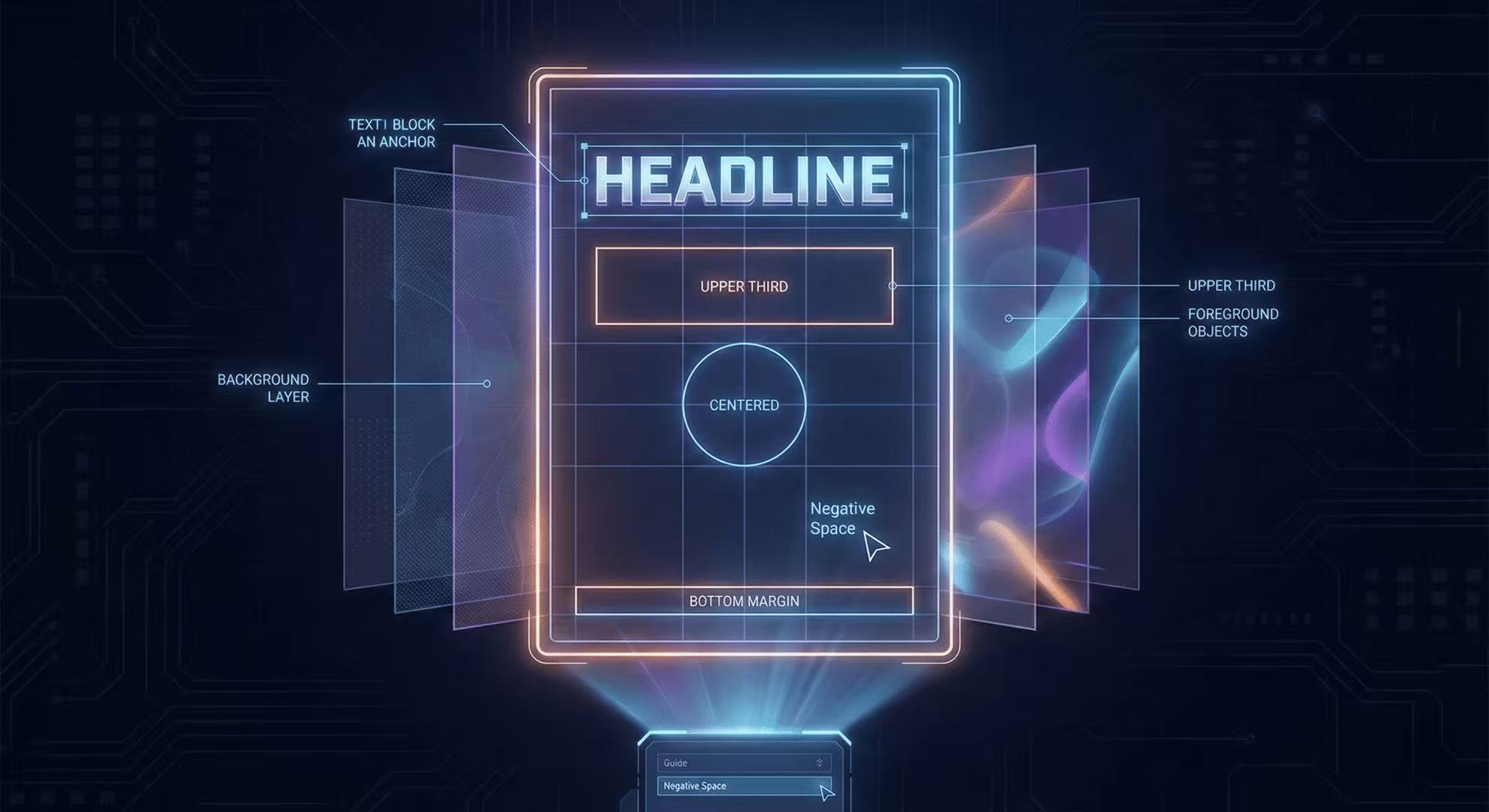
Mastering the AR Stage: 5 Tips for Complex Poster Layouts
How to use spatial prompts to guide the GLM-Image autoregressive planner for professional grade posters.

Diffusers Pipeline Walkthrough + Speed/VRAM Notes
A step-by-step GLM-Image guide using Hugging Face Diffusers, including install, code, and real VRAM/time estimates.
ComfyUI Status Tracker: When Native Support Lands
Track GLM-Image support in ComfyUI—where to watch, what “native support” means, and stopgap workflows until it lands.