写真级产品摄影
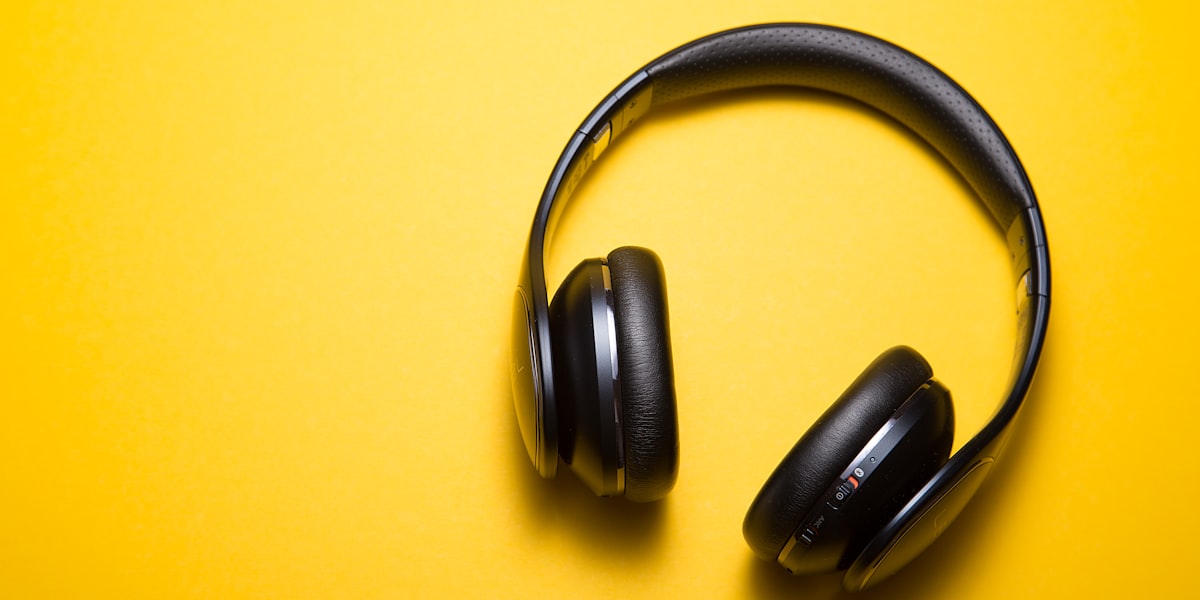
Create product renders indistinguishable from professional studio photography. Master lighting, materials, and composition for e-commerce excellence.
Studio Lighting Setup
Replicate professional product photography lighting with precision control. The key to photorealistic product renders is understanding three-point lighting and how different materials react to light sources.
Three-Point Lighting System
Professional product photography relies on three primary light sources: key light, fill light, and rim light. Each serves a specific purpose in revealing your product's form, texture, and material properties.
- Key Light (主光): The primary light source, typically positioned 45 degrees from the product. Creates depth and form through shadows.
- Fill Light (补光): Softens shadows created by the key light. Usually positioned opposite the key light at lower intensity.
- Rim Light (轮廓光): Separates the product from the background. Positioned behind or above the subject.
复制以下提示词:
Subject: Premium wireless headphones on white backdrop Lighting: Softbox from left (key, 45° angle), reflector right (fill, 30% intensity), overhead rim light (hair light, 70% intensity) Style: Clean product photography, commercial grade Materials: Matte plastic, metallic accents, soft rubber ear cushions Logic: Product centered, slight shadow underneath, perfect reflections on metallic parts, no hotspots on plastic surfaces Size: 1056x1568Material-Specific Lighting Adjustments
Different materials require different lighting approaches:
Matte Materials
Reduce fill light intensity to avoid flat appearance. Add subtle surface texture details in prompt.
Metallic/Glossy
Increase rim light intensity for specular highlights. Specify "mirror-like reflections" in prompt.
Transparent/Glass
Use backlighting to reveal transparency. Add "caustics" and "refraction" for realism.
Fabric/Textiles
Use diffused lighting to show weave patterns. Add "micro-detail" and "texture" keywords.
Parameters & Best Practices
Optimal parameters for different product types and use cases.
Recommended Parameters by Product Category
| Product Type | Size | Lighting | Style Keywords | Common Mistakes |
|---|---|---|---|---|
| Electronics | 1056x1568 | High contrast, rim light | clean, minimal, premium | Overexposed screens |
| Jewelry | 1024x1024 | Soft lighting, macro lens | luxury, sparkle, detailed | Dull metals, no sparkle |
| Shoes | 1280x1024 | 45° key light, soft fill | dynamic, lifestyle, texture | Flattened textures |
| Cosmetics | 1024x1280 | Diffused, even lighting | clean, fresh, elegant | Color inaccuracy |
Essential Logic Keywords
Add these to your Logic section for better control:
Logic: Product centered, slight shadow underneath, perfect reflections on metallic parts, no hotspots on plastic surfaces, accurate color representation, commercial photography quality, no fingerprints or dust, pristine condition, showroom lighting, white background with subtle gradientCommon Mistakes & Solutions
❌ Problem: Flat, Lifeless Products
Your products look 2D and lack depth, making them unappealing for e-commerce.
✅ Solution:
- Add rim light with 60-70% intensity to create separation
- Specify "three-point lighting" in your prompt
- Include "depth" and "dimensionality" in Logic section
- Use 45° key light angle instead of direct frontal lighting
❌ Problem: Wrinkled Textures on Fabrics
Clothing and textiles appear wrinkled or have unnatural folds.
✅ Solution:
- Add "wrinkle-free" or "steam-ironed" to Logic section
- Specify "natural draping" instead of forced folds
- Use "soft, diffused lighting" to minimize texture emphasis
- Add "showroom condition" to Logic section
❌ Problem: Overexposed Highlights
Metallic or glossy surfaces have blown-out white spots.
✅ Solution:
- Reduce rim light intensity from 100% to 60-70%
- Add "controlled highlights" to Logic section
- Specify "no hotspots" explicitly
- Use "soft specular highlights" for metal surfaces
❌ Problem: Color Inaccuracy
Product colors don't match reality, critical for e-commerce accuracy.
✅ Solution:
- Specify exact hex codes: "accurate color #FF5733"
- Add "color-accurate" to Logic section
- Include "true-to-life colors" or "faithful color reproduction"
- Use "white balance: 5500K" for consistent lighting temperature
Copy-Paste Templates
Plug-and-play templates for common product categories. Copy, paste, and adjust product-specific details.
📱 Electronics Template (Headphones Example)
Perfect for: Headphones, earbuds, smartwatches, charging cases
Subject: Premium wireless headphones on white backdrop with subtle shadow Lighting: Softbox from left (key, 45° angle), reflector right (fill, 30% intensity), overhead rim light (hair light, 70% intensity) Style: Clean product photography, commercial grade, Apple aesthetic Materials: Matte plastic, metallic aluminum accents, soft rubber ear cushions Logic: Product centered, slight shadow underneath, perfect reflections on metallic parts, no hotspots on plastic surfaces, accurate color representation, commercial photography quality, no fingerprints or dust, pristine condition Size: 1056x1568🔄 Customization Guide:
- Replace "wireless headphones" with your product name
- Adjust "Matte plastic, metallic aluminum accents" to match your materials
- Change size based on your needs (1056x1568 is ideal for most e-commerce)
💎 Jewelry Template (Ring Example)
Perfect for: Rings, necklaces, watches, luxury accessories
Subject: 14k gold diamond engagement ring on black velvet display Lighting: Macro lens setup, soft diffused light from front, backlight to reveal sparkle, dark background for contrast Style: Luxury jewelry photography, high-end catalog style, dramatic lighting Materials: Polished 14k gold, brilliant cut diamonds, black velvet Logic: Extreme close-up detail, perfect stone clarity, no reflections obscuring gems, rich contrast, luxury presentation, showroom quality, every facet visible Size: 1024x1024👟 Footwear Template (Sneaker Example)
Perfect for: Sneakers, boots, athletic shoes, designer footwear
Subject: White leather sneakers at 3/4 angle on gradient background Lighting: 45° key light to show texture, soft fill light to reduce harsh shadows, rim light to separate from background Style: Lifestyle product photography, dynamic angle, commercial quality Materials: Genuine leather, rubber sole, fabric laces Logic: Dynamic diagonal composition, shows shoe profile and sole, texture clearly visible, no harsh shadows, lifestyle context, ready for e-commerce, pristine condition Size: 1280x1024🧴 Cosmetics Template (Lipstick Example)
Perfect for: Lipstick, foundation bottles, skincare packaging, perfume
Subject: Matte red lipstick tube on marble surface Lighting: Even diffused lighting, soft shadows, white background with subtle gradient Style: Clean beauty photography, minimalist, elegant Materials: Metallic tube, matte finish, rich pigment Logic: Color-accurate representation #FF0000, perfect shine on metallic cap, clean label typography, elegant composition, beauty editorial style, no fingerprints Size: 1024x1280🎒 Fashion Accessories Template (Bag Example)
Perfect for: Handbags, backpacks, wallets, leather goods
Subject: Tan leather tote bag with gold hardware, front view Lighting: Soft natural light from left, subtle fill on right, minimal shadow Style: Premium fashion photography, clean and sophisticated Materials: Genuine tan leather, gold-tone hardware, fabric lining Logic: Shows bag structure and handles, leather grain visible, hardware shines naturally, wrinkle-free, premium presentation, accurate tan color #D2B48C, lifestyle context Size: 1056x1568FAQ
Q: What size should I use for e-commerce product photos?
A: For most e-commerce platforms, 1056x1568 provides excellent quality without excessive file sizes. For square formats (Amazon, Instagram), use 1024x1024. For vertical fashion items, 1280x1024 works well.
Q: How do I prevent the AI from adding unwanted text or logos?
A: Add "no text, no logos, no watermarks" to your Logic section. For brand-sensitive products, also include "clean background, no branding elements" to ensure brand-safe outputs.
Q: My metallic products look dull. How do I make them shine?
A: Increase rim light intensity to 70-80% and add "mirror-like reflections, specular highlights" to your Logic section. Specify "polished" and "high-gloss finish" in materials description.
Q: How many times should I generate to get a perfect result?
A: With well-crafted prompts using the templates above, expect 2-3 generations for excellent results. Poor prompts may require 10+ attempts. Invest time in prompt engineering upfront.
Q: Can I batch process multiple products?
A: Yes! Use the Batch Processing Guide to generate 100+ product photos efficiently. Maintain consistent lighting and style across your entire catalog.
Q: How do I maintain brand consistency across product photos?
A: Create a master template with fixed lighting setup, background style, and Logic keywords. Use this as your base for all products, only changing subject, materials, and colors. Document your successful prompts in a shared database.
相关指南
- Advanced Lighting Techniques for GLM-Image - Core lighting principles for any subject in GLM-Image
- Materials and Textures Mastery Guide - Master material representation for products using GLM-Image
- Prompt Engineering 101 for GLM-Image - Foundation concepts for all product photography work
- Batch Processing & Automation Workflows - Scale product photography to 100+ items efficiently